
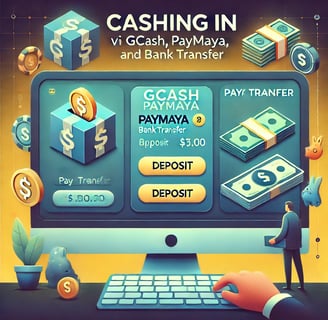
How to Cash In via GCash, PayMaya, and Bank at CASHWEB
Leave a Comment / By G / December 19,2024
1. Cashing In via GCash
Log in to your CASHWEB account and go to the Deposit section.
Select GCash as your preferred payment method.
Enter the amount you wish to deposit and follow the instructions provided.
You will be redirected to the GCash payment gateway. Log in to your GCash account, confirm the amount, and authorize the transaction.
Once the transaction is completed, the funds will be credited to your CASHWEB account instantly.
2. Cashing In via PayMaya
After logging into CASHWEB, navigate to the Deposit section.
Choose PayMaya as your payment option.
Enter the deposit amount and follow the instructions on-screen.
You will be redirected to PayMaya’s payment gateway. Log into your PayMaya account, confirm the amount, and complete the transaction.
Once confirmed, the funds will be instantly credited to your CASHWEB account, ready for you to play.
3. Cashing In via Bank Transfer
Go to the Deposit section of your CASHWEB account and select Bank Transfer.
Enter the deposit amount and choose your preferred bank from the available options.
You will be provided with bank account details for the transfer. Make sure to follow the instructions carefully and complete the transfer from your bank account.
Once the transfer is completed, CASHWEB will credit the funds to your account, which may take a few hours depending on your bank’s processing time.
Benefits of Cashing In with GCash, PayMaya, and Bank
Fast and Secure: Your deposits are processed quickly and securely.
Multiple Payment Options: Choose the payment method that works best for you.
Convenience: Cashing in is easy, and you can do it at any time, from anywhere.
At CASHWEB, we prioritize your convenience and security. Whether you're using GCash, PayMaya, or a bank transfer, we ensure that your deposit process is smooth and hassle-free. Start playing today and enjoy the best online gaming experience!
Get in touch
QUICK GUIDE ON HOW TO REGISTER
Let's Talk
info@cashweb.ph


CASHWEB. ALL RIGHTS RESERVED 2024